
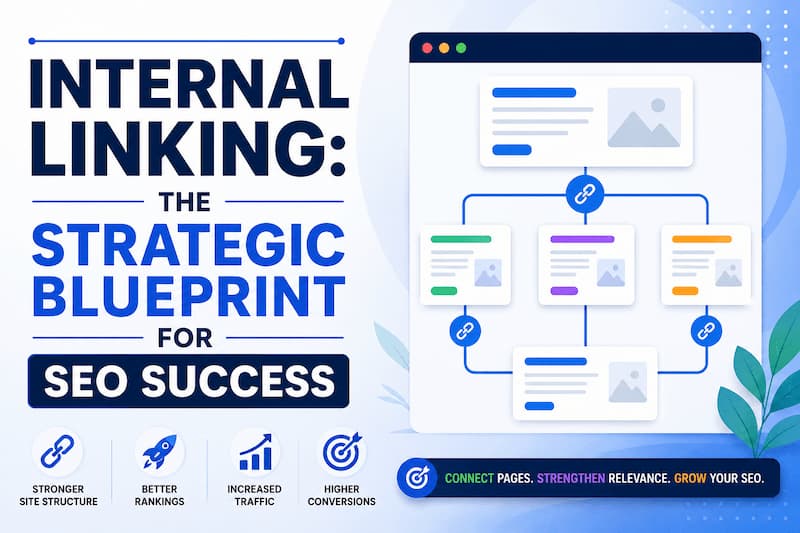
In the complex landscape of search engine optimization, SEO experts often become obsessed with “backlinks” the external votes of confidence of links from other websites. While those are vital, many overlook a more controllable and equally powerful lever: Internal Linking.
Internal linking is the connective tissue of your website. When executed with precision, it transforms a collection of isolated pages into a cohesive, authoritative ecosystem that both users and search engines love.
What Is Internal Linking?
An internal link is any hyperlink that points from one page on a domain to another page on that same domain. Unlike external links, which send users away from your site, internal links keep them within your own digital borders. These include your primary navigation menu, footer links, and “in-body” or “contextual” links found within your articles.
Why Internal Links Matter for SEO
Search engines like Google use links as the primary pathway to discover new content. Without a clear internal linking structure, your newest or most valuable content may remain invisible. More importantly, Google uses the “pathway” of links to weigh the importance of pages. A page with many internal links is signaled as a high-priority asset, while a page with none is treated as an afterthought.
Benefits of Internal Linking
Effective internal linking provides four foundational pillars of support for your SEO strategy:
Improves Crawlability and Indexing
Search engine “spiders” (crawlers) navigate the web by following links. If your site has a “flat” structure where every page is reachable within a few clicks, crawlers can find and index your content much faster. This is especially critical for large websites with thousands of pages where “crawl budget” is a limited resource.
Passes Link Equity
Link equity, often referred to as “Link Juice,” is the SEO value passed from one page to another. If your homepage or a specific blog post has earned high-quality backlinks from external sites, it accumulates authority. By linking from that “authoritative” page to a newer or lower-ranking page, you effectively share that power, helping the target page rank higher.
Enhances User Experience (UX)
The primary goal of a website is to provide value to the visitor. Internal links guide users toward related topics they might find interesting. By reducing friction in the user journey and providing “further reading,” you increase dwell time and reduce bounce rates both of which are indirect signals to Google that your site is high-quality.
Helps Search Engines Understand Content
Search engines don’t just look at the page itself; they look at the context provided by the links pointing to it. The surrounding text and the anchor text of internal links help Google’s algorithms (like BERT) understand the semantic relationship between pages and the specific topics a page should rank for.
Internal Linking Best Practices
To maximize the impact of your links, you must move beyond random hyperlinking and follow a structured methodology.
Use Descriptive Anchor Text
Avoid “click here” or “read more.” Your anchor text (the clickable words) should describe exactly what the user will find on the next page. For example, instead of “click here for our guide,” use “internal linking best practices.” This tells Google’s bots that the destination page is specifically about that topic.
Link to Relevant Pages
Relevancy is the golden rule. If you are writing a blog post about “Healthy Vegan Recipes,” it makes sense to link to a post about “Plant-Based Protein Sources.” It does not make sense to link to an article about “How to Fix a Leaking Faucet.” Irrelevant links confuse users and dilute the topical authority of your site.
Build Topic Clusters and Pillar Pages
The Hub and Spoke model is one of the most effective SEO structures.
- Pillar Page: A comprehensive guide on a broad topic (e.g., “The Ultimate Guide to Digital Marketing”).
- Cluster Content: Specific articles covering sub-topics (e.g., “SEO Basics,” “PPC Tips,” “Email Marketing Strategies”).
- The Strategy: Every cluster piece should link back to the Pillar Page, and the Pillar Page should link to every cluster piece. This creates a powerful topical web that signals expertise to search engines.
Link to Important Pages More Often
Not all pages are created equal. Your “money pages” those that convert visitors into customers should receive the highest volume of internal links. By consistently linking to your core services or top-selling products from your blog posts, you signal to Google that these are your most important assets.
Keep a Logical Site Structure
A “shallow” site structure is ideal. This means a user should never be more than three clicks away from any page on your site starting from the homepage. A deep, buried structure makes it difficult for both users and bots to reach your content.
Regularly Update Old Content
Internal linking is not a “set it and forget it” task. When you publish a new article, you should go back to older, related posts and add links pointing to the new one. This breathes life into new content and ensures your “link web” is constantly growing.
Common Internal Linking Mistakes to Avoid
Even seasoned SEOs make mistakes that can hinder their site’s performance. Here is what to avoid:
Using Generic Anchor Text
As mentioned, “click here” is a wasted opportunity. You lose the chance to pass keyword relevance to the target page.
Overusing Internal Links
There is no “magic number” for links, but common sense applies. If a 500-word article has 50 internal links, it looks like spam to Google and provides a distracting experience for the user. Aim for natural integration usually one link every 150-200 words is a safe baseline.
Linking to Irrelevant Pages
Linking just for the sake of linking is a mistake. If the connection isn’t logical, the user will feel misled, and search engines may view the links as manipulative rather than helpful.
Creating Orphan Pages
An Orphan Page is a page that has zero internal links pointing to it. Since search engines find content via links, an orphan page is essentially invisible. This often happens with landing pages or older blog posts that were never properly integrated into the site’s architecture.
Ignoring Broken Internal Links
A broken link (404 error) is a “dead end” for a crawler and a frustration for a user. It wastes crawl budget and signals that the website is not being maintained.
Using the Same Anchor Text Excessively
While consistency is good, using the exact same anchor text for every single link to a page can sometimes look unnatural to Google’s spam filters. Vary your anchor text slightly using synonyms or long-tail variations to keep your link profile looking natural.
How to Audit Your Internal Links
Periodic maintenance is essential to ensure your link structure remains healthy. Follow these steps for a thorough audit:
Find Broken Links
Use a crawler to identify any internal links pointing to 404 pages. Once found, either restore the missing page or update the link to point to a relevant, live URL.
Identify Orphan Pages
Run a site crawl and compare the results against your sitemap. If a page exists in your sitemap but has “0 incoming internal links” in your crawl report, it is an orphan. Find a relevant “parent” page and link to it immediately.
Check Internal Link Distribution
Analyze which pages have the most links. You might find that a low-value “Privacy Policy” page has more links than your “Services” page because it’s in the footer of every page. While footer links are fine, ensure your high-value pages are getting plenty of contextual links from within your content.
Review Anchor Text Usage
Look at a report of all your anchor texts. Ensure they are descriptive and not overly repetitive. If you see a lot of “read more,” take the time to rewrite them into keyword-rich descriptors.
Best Tools for Internal Link Analysis
You don’t have to do this manually. Several tools can automate the heavy lifting:
| Tool | Best For | Key Feature |
| Google Search Console | Free basic analysis | The “Links” report shows exactly which pages Google sees as most linked. |
| Screaming Frog | Technical Audits | Excellent for finding 404s and identifying orphan pages. |
| Ahrefs | Link Equity Analysis | The “Internal Backlinks” tool helps you see how power is flowing through your site. |
| Semrush | Site Health | Their Site Audit tool provides a specific “Internal Linking” thematic report. |
Internal Linking Checklist
Before you hit “publish” on your next piece of content, run through this quick checklist to ensure your internal linking is optimized:
- Relevant Anchor Text: Did I use keywords that describe the destination page?
- Link Related Content: Are these links actually helpful to someone reading this article?
- Fix Broken Links: Did I double-check that every link I added actually works?
- Update Older Articles: Have I added links from 2-3 older posts pointing to this new one?
- Support Important Pages: Did I include a link to a main service or pillar page?
Final Thoughts
Internal linking is the “low-hanging fruit” of SEO. You don’t need a huge budget or permission from other webmasters to do it. By treating your internal links as a map for both your users and Google, you build a site that is easier to navigate, faster to index, and significantly more likely to dominate the search results.
Expert Tip: If you’re struggling to start, look at your top-performing page in Google Analytics. Add three internal links from that page to three pages you want to rank higher. You’ll often see a rankings boost for those target pages within weeks.